
AW-10865990051
Enterprise cloud data migration · CDC · DataOps

Cloud data migration without the big-bang cutover.

IOblend is enterprise cloud data migration software for moving data and business logic from legacy, on-premises and existing cloud systems into modern cloud platforms. Move history in bulk, capture live changes with CDC, transform and validate data in flight, run old and new systems in parallel, reconcile the result and cut over when the target is ready—not when the migration tool forces you to.
cloud data migrationlegacy modernisationChange Data Captureparallel runmigration reconciliationdata lineageApache Spark
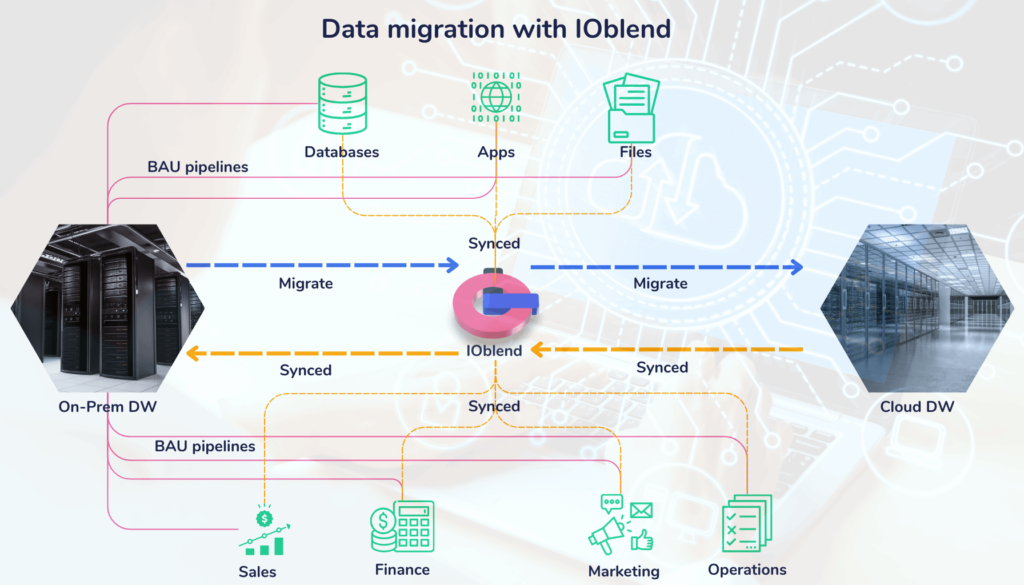
IOblend cloud data migration architecture connecting on-premises data warehouse, business systems and cloud data warehouse
Existing IOblend WordPress media asset: migration and synchronisation across source, business and cloud environments.
LEGACY / SOURCEdatabases · ERP · files · mainframe · existing cloud
IOBLEND MIGRATION LAYERbulk · CDC · transform · quality · reconcile · lineage
CLOUD TARGETlakehouse · warehouse · database · SaaS · application
Choose the migration strategy

Cloud migration is not one pattern.

The target architecture should determine the migration method. IOblend supports straightforward data movement, transformation-heavy modernisation and phased synchronisation without forcing every workload through the same technical route.

Rehost / move

Move data with minimal change

Replicate structures and move historical data when the priority is relocating workloads quickly with limited transformation.

Best when target semantics remain similar.
Replatform

Move and adapt

Change formats, structures or delivery logic to fit a modern warehouse, lakehouse or cloud database while preserving business meaning.

Best when the target works differently.
Modernise

Rebuild the data flow—not the business rule

Extract business logic from ageing ETL and re-express it as portable SQL, Python and IOblend playbooks for the new environment.

Best for legacy ETL replacement.
Synchronise

Run source and target together

Move history, then use CDC to keep environments aligned while users, workloads and controls are validated before cutover.

Best for lower-risk phased migration.
Microsoft’s current Azure migration guidance likewise distinguishes strategies such as rehost, replatform, replace, rebuild and retain rather than treating every migration as lift-and-shift. Azure Migration and Modernization Hub ↗
The migration lifecycle

Move the history once. Keep capturing what changes.

A phased enterprise cloud migration works best when the historical move and the live change stream are treated as one controlled lifecycle rather than separate projects.

01

Assess

Identify sources, schemas, dependencies, business rules and success criteria.

02

Bulk history

Move the historical dataset into the target efficiently.

03

Transform

Convert formats, rebuild logic and apply cloud-target rules in flight.

04

CDC tail

Capture inserts, updates and deletes that occur after the bulk extract.

05

Reconcile

Compare counts, checksums, schemas and record-level differences.

06

Parallel run

Keep source and target aligned while workloads are validated.

07

Cut over

Switch consumers when the target has met the agreed migration criteria.

Migration pattern: bulk history + CDC tail + reconciliation. This reduces the pressure for long freezes or one-shot cutovers and gives engineering teams time to prove the target before the source is retired.
De-risk the cutover

Run legacy and cloud in parallel until the evidence says switch.

A parallel run keeps the source environment operational while the target receives the same changing business data. That creates time to validate data parity, performance and downstream behaviour under real conditions instead of relying on a single migration weekend.
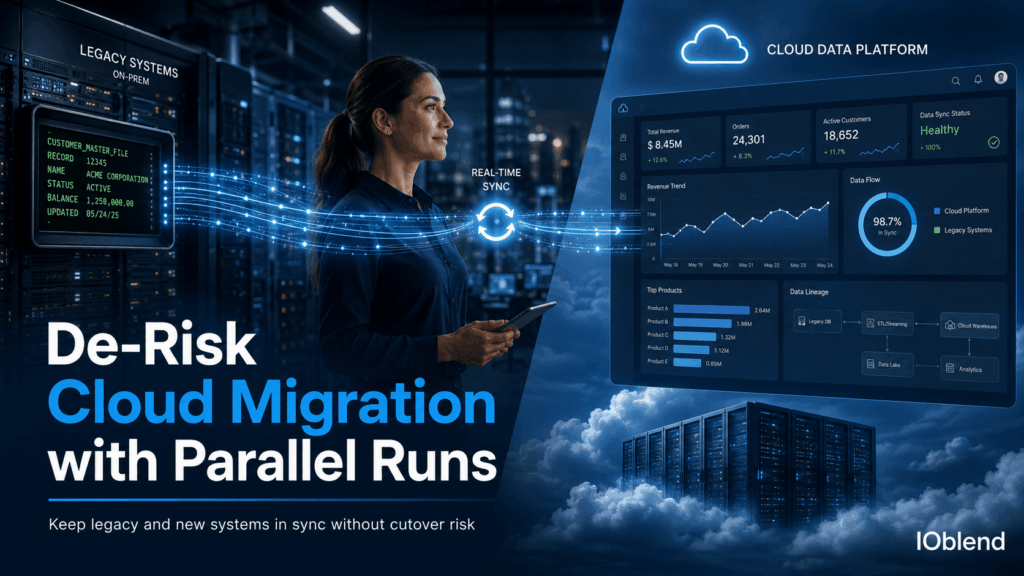
LEGACY SYSTEM
still live
CLOUD TARGET
kept in sync
Read the IOblend parallel-run deep dive →
IOblend cloud migration parallel run connecting a legacy on-premises system with a cloud data platform
Existing IOblend WordPress media asset: de-risking cloud migration through parallel operation and synchronisation.
Migrate the logic as well as the data

Do not carry legacy ETL architecture into the cloud by accident.

The difficult part of cloud migration is often not moving bytes. It is preserving decades of joins, filters, mappings, calculations and exception rules while changing the execution environment. IOblend separates pipeline intent from infrastructure so business logic can be rebuilt as portable metadata, SQL and Python rather than recreated as another generation of tightly coupled ETL.

portable JSON playbooksSQLPythonvisual debuggingversioningApache Spark execution
BUSINESS LOGIC PORTABILITYillustrative pattern
Legacy estateEmbedded ETL logicMappings · rules · transforms · exceptions · dependencies
IOblendPortable pipeline intentMetadata + SQL/Python, independent of final cloud target
playbook: source → map → validate → transform → reconcile → target
runtime: customer-controlled Spark infrastructure
Migration QA at scale

“It loaded” is not the same as “it migrated correctly.”

Enterprise migration QA has to prove volume, structure and data integrity across source and target. IOblend can run reconciliation, custom checksum logic, schema comparisons, lineage and exception analysis as part of the migration pipeline rather than leaving validation until after cutover.
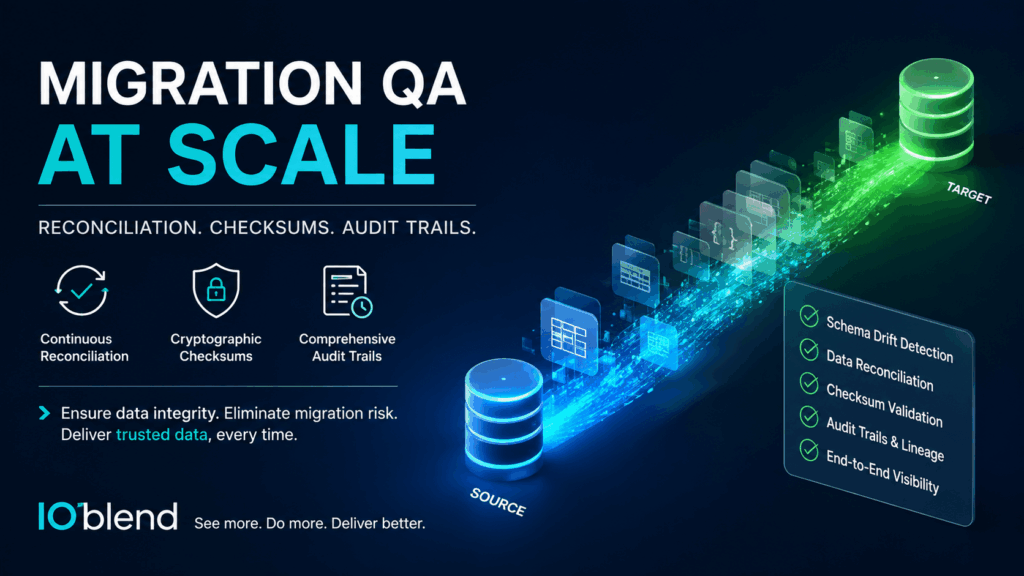
IOblend migration QA at scale showing source-to-target reconciliation, checksums, schema drift detection and audit trails
Continuous reconciliationCompare source and target as the migration progresses instead of waiting for final cutover.
Checksums + custom validationApply Spark-based validation and checksum logic to verify payload fidelity.
Schema evolutionIdentify structural changes, field drift and mapping differences that would otherwise land silently.
Record-level lineageTrace discrepancies through source, transformation and target so the failing path can be repaired and replayed.
Legacy & mainframe modernisation

When the source is older than the cloud architecture itself.

Mainframe and long-lived enterprise migrations add format conversion, opaque dependencies, legacy encodings and strict operational constraints to the normal migration problem. IOblend provides a modern Spark execution layer around those constraints without requiring the source system to become cloud-native before migration can begin.
Bulk + CDCMove historical data, then continue capturing operational changes while the legacy system remains active.
Transform in flightMap schemas, convert formats and rebuild business rules before the target receives the record.
Keep pressure off the cutoverParallel operation reduces the need to freeze a mission-critical legacy system for a one-shot migration.
Read the mainframe-to-cloud playbook →
IOblend mainframe to cloud data migration with Change Data Capture and cloud lakehouse target
Existing IOblend WordPress media asset: mainframe-to-cloud migration with CDC.
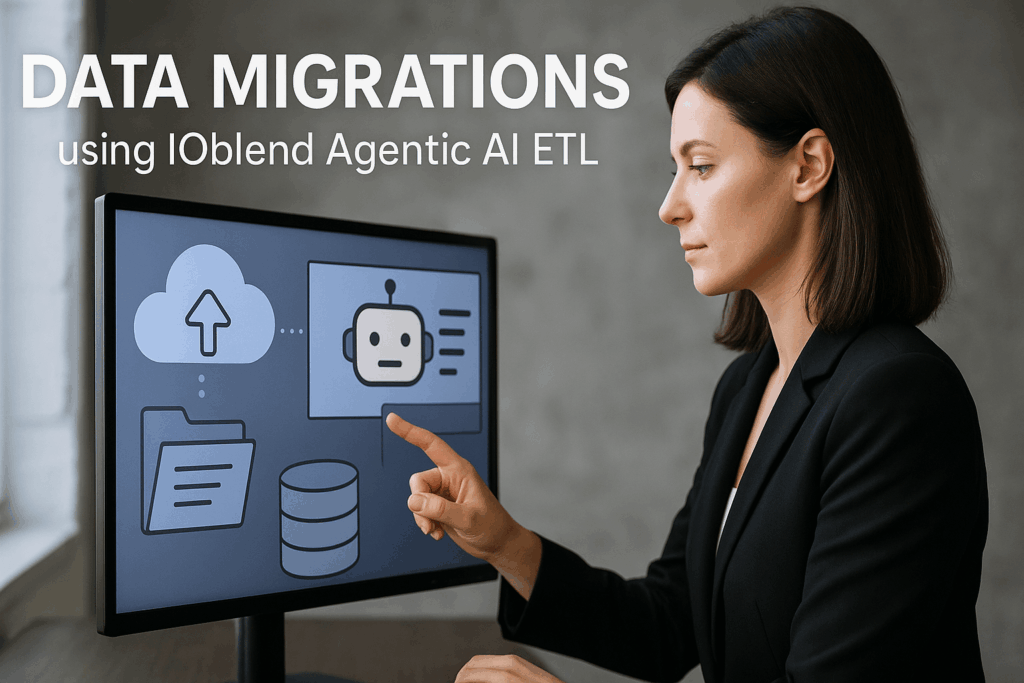
IOblend Agentic AI ETL used in data migration to process documents and structured data
Existing IOblend WordPress media asset: Agentic AI ETL as part of a migration workflow.
When the migration includes unstructured data

Some migrations contain documents, emails and text—not just tables.

Agentic AI can be useful inside a migration pipeline when legacy information has to be extracted from unstructured sources before it can be validated and merged with structured target data. IOblend can embed Python, model or agent logic into the wider production migration flow rather than turning document extraction into a separate disconnected project.

ExtractDerive structured fields from PDFs, text, email or other unstructured migration sources.
ValidateCheck extracted output against schemas, rules and known enterprise records.
RouteDeliver valid data to the target while uncertain records are isolated for review.
Read the Agentic AI migration example →
Target-platform neutral

Migrate to the cloud platform that fits the workload.

IOblend is the migration and production data layer, not the destination. That keeps migration logic portable across cloud providers, warehouses, lakehouses and enterprise data platforms instead of baking the migration into one vendor’s orchestration model.

Architecture principle: preserve the migration logic outside the final target where possible. That makes it easier to migrate incrementally, compare platforms, change targets and continue using the same integration logic after the migration project becomes normal production data movement.
Cutover readiness

Do not cut over because the calendar says the migration is finished.

A cloud migration should have explicit exit criteria. The target becomes production when the data, logic, consumers and recovery path have been proven—not merely because the bulk copy completed.

Data parityCounts, checksums and business-level reconciliation agree within the accepted tolerance.required
CDC caught upThe target has consumed the change tail and no material source changes remain unprocessed.required
Schema validatedTarget structures, types, keys and expected evolution are understood and controlled.required
Business logic provenCalculations, mappings and exception paths behave correctly under production-like data.required
Consumers testedAnalytics, applications, APIs and operational workflows behave correctly against the new environment.required
Rollback / recovery knownThe team understands how exceptions, late data or cutover defects will be repaired without losing lineage.required
Practical rule: cutover is an evidence gate, not a project milestone. Parallel operation gives the team room to collect that evidence before the legacy system is decommissioned.
Cloud data migration FAQ

Questions migration architects ask before the cutover plan is approved.

These answers focus on enterprise data migration rather than generic cloud infrastructure: how data moves, stays current, is validated and reaches the target without losing business meaning.

cloud data migrationCDC migrationparallel runmigration reconciliationlegacy modernisationdata migration QA
What is enterprise cloud data migration?

Enterprise cloud data migration is the controlled movement and modernisation of operational data, historical data and business logic from legacy, on-premises or existing cloud environments into a target cloud platform. A production migration usually includes extraction, transformation, CDC, validation, reconciliation, parallel operation and cutover—not simply copying files or database tables.

How does IOblend reduce cloud migration cutover risk?

IOblend can move the historical dataset first, then use Change Data Capture to keep source and target aligned while the new environment is validated. This supports a parallel-run approach where the legacy system can remain operational until data parity, business logic and downstream consumers have been proven.

What is the bulk-history + CDC-tail migration pattern?

The bulk-history phase moves the existing dataset into the target. The CDC tail then captures inserts, updates and deletes that happen after the bulk extract began. Reconciliation proves that the target has caught up before cutover. This pattern reduces reliance on long source-system freezes.

Can IOblend migrate data while transforming it?

Yes. Data can be mapped, cleansed, enriched, aggregated, deduplicated and validated in flight. SQL, Python and IOblend metadata-driven playbooks allow migration teams to adapt legacy structures and business rules to the target rather than performing a raw copy followed by a separate transformation project.

How does IOblend validate a cloud migration?

IOblend can support source-to-target reconciliation, record counts, custom checksum logic, schema comparisons, data-quality rules, audit information and record-level lineage. Exceptions can be isolated and replayed rather than forcing the entire migration to be restarted.

Can IOblend migrate mainframe or other legacy data?

Yes. IOblend can connect to legacy sources where appropriate drivers or interfaces are available, process historical and live changes, transform formats and business logic, and deliver into modern cloud targets. See the mainframe-to-cloud migration example →

Does IOblend only support lift-and-shift migrations?

No. IOblend can support rehost, replatform, transformation-heavy modernisation, data-warehouse rebuilds, system consolidation and synchronised parallel migrations. The pipeline design can reflect the target architecture rather than being constrained to a single migration methodology.

Which cloud platforms can IOblend migrate data to?

IOblend is target-platform neutral. It can deliver into cloud databases, warehouses, lakehouses and other supported destinations across platforms such as Microsoft Azure, AWS, Google Cloud, Databricks and Snowflake, depending on the connectivity and target architecture.

What happens to IOblend after the migration is complete?

The same production pipeline model can continue as the integration layer after cutover. Instead of throwing away migration scripts, teams can retain the transformation, quality, lineage and CDC logic for ongoing synchronisation, analytics or operational data movement.

Can AI be used inside a cloud migration pipeline?

Yes, where it is useful. IOblend can incorporate Python, model or agent logic into the flow—for example, extracting structured information from documents, classifying legacy text or validating unstructured migration content before it is combined with normal structured data.

Plan the migration around the data

Bring us the source, target, business logic and cutover constraint.

We can map the migration into historical load, CDC, transformation, validation, parallel-run and cutover stages—then identify where IOblend can remove custom engineering and reduce operational risk.

Scroll to Top